010 447 2445Contact
Arke Technologies home
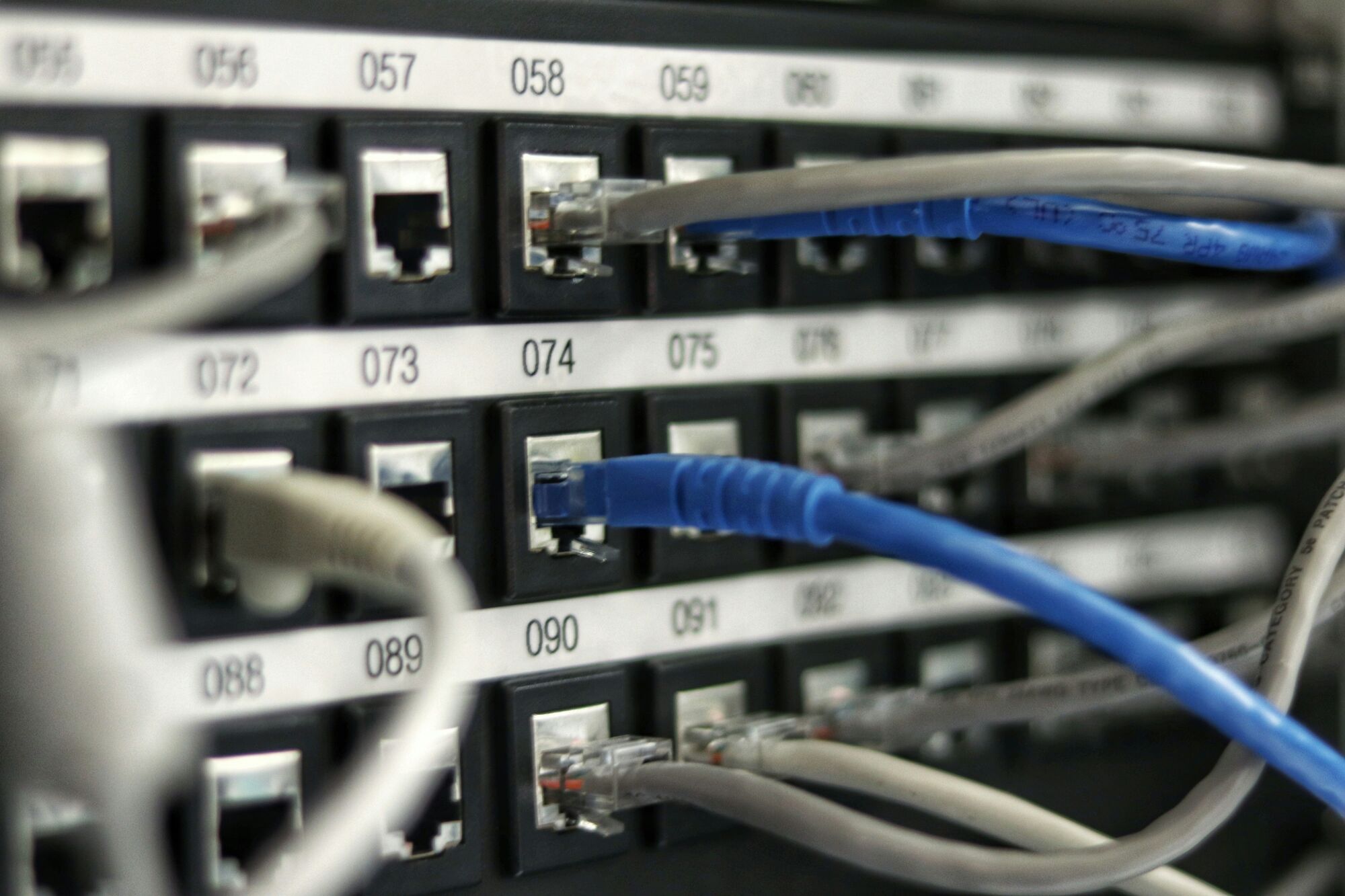
A numbered patch panel with blue and grey network leads plugged in.

Structured cabling and network cable installation, certified and documented

Network cable installation, done properly, is structured cabling: a standards-based system of Cat 6, Cat 6A and fibre running from every network point to patch panels in a managed rack. Arke Technologies designs, installs, certifies and documents it for organisations, public buildings and schools across South Africa, from Johannesburg.

What is structured cabling in networking?

Structured cabling is a standardised way to wire a building's LAN (local area network) for data. Instead of running a separate cable from a switch to each computer, installers lay permanent cables from wall outlets to patch panels in a central rack, then connect equipment with short patch leads. Every link is built to the same rules, tested and labelled, so the whole structured cabling system behaves predictably.

The terms overlap. Network cabling, data cabling, IT structured cabling and infrastructure cabling all describe the same layer: the physical network infrastructure cabling that every switch, access point, phone and camera depends on. Cabling and wiring differ mainly in what they carry: wiring usually means electrical power, while cabling carries data and voice. The two must be kept apart in every ceiling and riser.

A network with very little cabling is usually a wireless one, but it still depends on cables: every Wi-Fi access point connects to a switch by cable, and most draw their power over it. Good business Wi-Fi starts with the structured cabling network beneath it. We plan, install and support that layer as part of our network infrastructure services, beneath the firewalls and SD-WAN that run over it.

An engineer works on a bundle of blue network cables at a rack with a handheld tool.

Structured cabling components

The international standards (ISO/IEC 11801 and the ANSI/TIA-568 series) divide a building's cabling into subsystems. The components of structured cabling we specify and install:

  • Work-area outlets. The network points at desks, in classrooms and in ceilings, fitted with RJ45 connectors for copper or LC connectors for fibre.
  • Horizontal cabling. The permanent run from each outlet to the comms cabinet on that floor: up to 90 metres of fixed cable, within a 100-metre channel including patch leads.
  • Patch panels and cable management. Each run terminates on a server rack patch panel, with horizontal and vertical managers so every patch lead stays traceable.
  • Racks and cabinets. Floor-standing or wall-mounted, sized for today's equipment plus growth, with power distribution, earthing and airflow planned in.
  • Backbone cabling. Fibre, or copper for short links, between cabinets, floors and buildings.
  • Containment. Trunking, cable trays and conduit that protect the cable and keep it separated from electrical power.
  • Labels and records. A label at both ends of every cable, matched to the drawings and the test results.
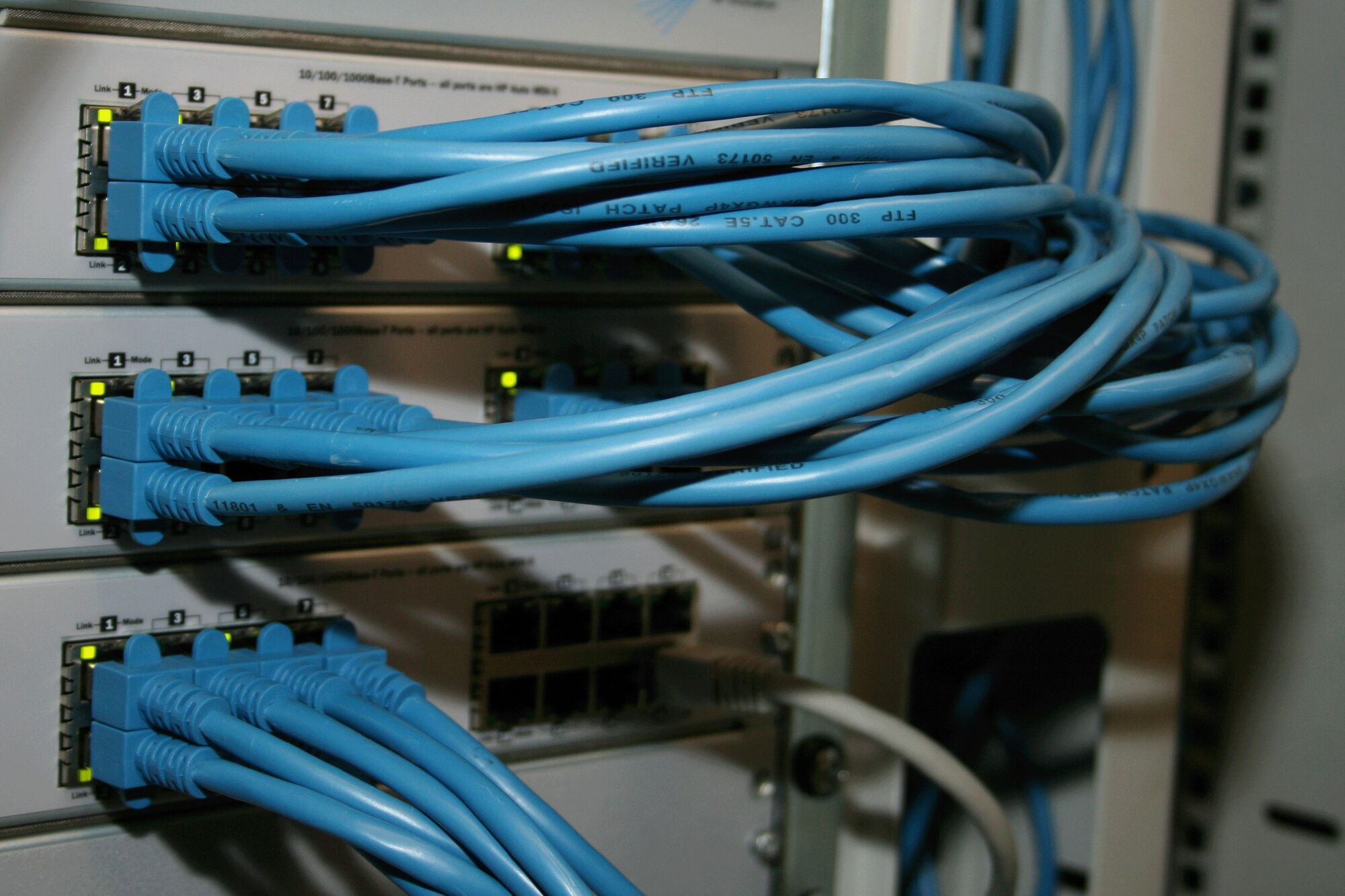
Bundles of blue network cables looped into switches in a rack.

Network cabling types, and which goes where

The main types of network cabling are twisted-pair copper, graded by category, and optical fibre. Server Hub's buyer's guide to Cat 6 structured cabling  (opens serverhub.co.za) covers product choice; the design rules we apply are summarised here.

CableFrequency ratingReach at speedWhere we use it
Cat 5e100 MHz1 Gbps to 100 mExisting sites only; we do not specify it for new work
Cat 6250 MHz1 Gbps to 100 m; 10 Gbps to about 55 mDesks, network points, cameras and most access points
Cat 6A500 MHz10 Gbps to 100 mDense Wi-Fi, long runs and 10 Gbps workstations
Multimode fibreNot applicable10 Gbps and above over hundreds of metresBackbones between floors and cabinets
Single-mode fibreNot applicableKilometresLinks between buildings on a campus or site

Shielded Cat 6A suits factories and plant rooms with heavy electrical noise, and we install solid-copper cable only, never copper-clad aluminium (CCA), which runs hot under Power over Ethernet and fails early.

For computer network cabling, Cat 6 is our default for new desks and points, Cat 6A where access points or run lengths demand it, and fibre wherever a link exceeds 100 metres or joins two buildings. Glass carries no current, so a fibre link also isolates equipment in one building from lightning and surges in another.

Voice and data cabling now share one system. Modern phones run over the data network, so one cable and one point serve both; see Microsoft Teams, VoIP and business telephony.

Structured cabling benefits, and the cost of bad network cabling

The benefits of structured cabling show every time something changes. Moving a desk means moving a patch lead, and a fault is traced quickly because every link is labelled. New access points, cameras and door controllers plug into spare points instead of triggering new work. And a certified installation outlasts several generations of the switches and access points connected to it.

Bad network cabling shows up as symptoms that are often blamed on something else: links that drop at random, computers that connect at 100 Mbps instead of 1 Gbps, access points that reboot under load, and a cabinet nobody dares to touch. The usual causes are untested terminations, CCA cable, runs beyond the length limit, cables laid across power, and no records. We also test and document existing installations, so you know what you have before replacing it.

Blue patch leads run neatly into a switch in a comms cabinet.

How we deliver network cabling installation, step by step

Our steps in network cabling follow the same sequence on every project, whether it is ten network points or a campus:

  1. Survey and requirements

    We walk the site, count the points needed in each room, and map access points, cameras, access control, voice and growth. The output is a written statement of your network cabling requirements.

  2. Design

    We draw the network cabling diagram, floor plans and rack elevations in design software, with a cable schedule and containment routes, so the scope is fixed before a cable is pulled.

  3. Quotation

    A fixed project price against that design, with any after-hours work shown separately.

  4. Installation

    Containment first, then the pull, then termination at outlets and on the patch panel. Disruptive work can be scheduled after hours or at weekends by agreement.

  5. Rack build

    Our server rack installation guide is simple: heavy equipment and the UPS low, patch panels interleaved with switches and cable managers, front-to-back airflow, and space left for growth.

  6. Test and certify

    Every copper link is tested with a certification tester against its category, and every fibre link for loss. You receive the results, link by link.

  7. Label, document and hand over

    As-built drawings, the cable schedule, test results and the labelling scheme, in a handover pack you keep.

Network cable installation tools matter as much as the cable, above all a certifier that proves performance rather than a tester that only proves the wires connect. Network cable installation training and certification sit with the people: the work is done by our own team, hired for experience, education and certifications.

Network cabling standards and requirements

We design and test to recognised network cabling standards, so anyone can verify the result:

  • ISO/IEC 11801 and ANSI/TIA-568 for cabling performance, channel lengths and testing.
  • ANSI/TIA-569 for pathways and spaces, including separation from electrical power.
  • ANSI/TIA-606 for labelling and administration records.
  • ANSI/TIA-607 for bonding and earthing of racks and cable screens.
  • Your building's rules: fire-rated penetrations, low-smoke zero-halogen sheathing where the specification requires it, and facilities approval for ceilings and risers.

Where we install: corporate, public-sector and school buildings

  • Corporate network cabling

    Office fit-outs, relocations and refurbishments, planned around your move date, covering business network cabling for desks, meeting rooms and boardrooms.

  • Government and municipal buildings

    Records that suit PFMA and MFMA asset management: every rack, panel and point listed, tested and handed over for the asset register.

  • Warehouses, clinics and branches

    Long runs and harsh environments, where fibre and shielded cable earn their cost.

We serve organisations across South Africa, and take on work beyond it. If you are looking for home network cabling, most homes are better served by fibre and mesh Wi-Fi, which Fibre Boyz  (opens fibreboyz.co.za), our connectivity division, connects and supports.

Network cabling installation cost: what drives the price

Last reviewed: September 2026

Network cable installation cost depends on the building more than the cable, so we quote a fixed price after a site survey. Commercial network cable installation pricing is usually expressed per point, plus racks, backbone and containment, and our quotes are itemised the same way. What moves the number:

  • Number of network points and how they cluster.
  • Cable category: Cat 6A and fibre cost more to buy and to install than Cat 6.
  • Routes and access: open ceilings are quick; concrete, heights, occupied spaces and heritage buildings are slow.
  • Containment: new trunking or trays versus existing routes.
  • Racks, patch panels and power, including a UPS for the cabinet during load-shedding.
  • Testing, certification and documentation: part of every quote, never an optional extra.
  • After-hours work, when a live office or school cannot be disturbed.

The cheapest network cabling installation often carries the highest net cost: untested links, CCA cable and missing records are paid for later in downtime and rework. For cabinet, switch and UPS prices, see Server Hub  (opens serverhub.co.za), our hardware division, and our IT hardware page.

Governance, compliance and procurement

Cabling is a long-lived asset, so we deliver records a board, an auditor or the next contractor can rely on.

  • Governance. A named project lead, a fixed scope and change control: any extra point is a written variation, priced before work starts, and snags are closed before handover.
  • Compliance. Comms cabinets are lockable and access-controlled, because POPIA expects reasonable physical as well as technical measures to protect personal information. Test reports and as-built records support ISO 27001-aligned asset control.
  • Procurement. Arke Technologies is a Level 1 B-BBEE contributor (sworn affidavit available on request), which gives buyers 135% procurement recognition. Company documents, our CSD supplier number and tax compliance status are available on request, and we complete standard bidding documents when a tender requires them. See procurement and compliance.
  • Continuity. The drawings, cable schedule, test results and labelling scheme are yours, so any competent team can extend the installation later. If we manage your IT, the same records feed network monitoring and support.

How to choose network cabling companies in South Africa

Most network cabling companies can pull cable; fewer can prove the result. When you compare structured cabling companies, data cabling companies or network cabling contractors, ask each installer for:

  • A site survey before the quote, not a price per point over the phone.
  • A design, a network cabling diagram and certification test results for every link, all of which you keep.
  • Solid-copper cable from a named manufacturer, never CCA.
  • One contract and one accountable team for design, installation and support, so your cabling solutions and the network services running on them are not split across suppliers.

Frequently asked questions

What is structured cabling? Show answer

Structured cabling is a standards-based system of permanent cables, outlets, patch panels and racks that carries a building's data and voice. Cables run from each network point to a patch panel in a central cabinet, and equipment connects with short patch leads. Because every link is tested and labelled, moves and faults are handled quickly, and the cabling outlasts the hardware plugged into it.

What are the types of structured cabling? Show answer

The two main types of structured cabling are horizontal cabling, which runs from outlets to the cabinet on each floor, and backbone cabling, which links cabinets, floors and buildings. Horizontal runs are usually Cat 6 or Cat 6A copper, and backbones are usually multimode or single-mode fibre. Shielded or unshielded cable is chosen by the electrical environment, and every type is tested and labelled.

How much does network cable installation cost? Show answer

Network cable installation cost depends mainly on the number of points, the cable category and how difficult the routes are, so we quote a fixed project price after a site survey. Racks, patch panels, containment, testing and any after-hours work are itemised. Cat 6A and fibre cost more than Cat 6, and the building usually changes the price more than the cable does.

Should we install Cat 6 or Cat 6A? Show answer

Cat 6 suits most desks, network points and cameras, carrying 1 Gbps to 100 metres and 10 Gbps to about 55 metres. Choose Cat 6A where you need 10 Gbps over longer runs, for dense Wi-Fi with multi-gigabit access points, or where the cabling must serve several generations of equipment. Use fibre for any link beyond 100 metres or between buildings.

What are the network cable installation steps? Show answer

The network cable installation steps are survey, design, quotation, installation, rack build, testing and handover. We survey the site and fix requirements, draw the design and cable schedule, quote a fixed price, install containment and cable, terminate at outlets and patch panels, certify every link, then hand over labels, drawings and test results. Each stage is signed off before the next begins.

Plan the cabling before the fit-out, not after

Send us your floor plans or book a site survey, and we will return a design, a fixed quote and a programme.